[깃허브] 깃 클론// Please use a personal access token instead.
현재상황
- WSL(윈도우 시스템 리눅스)에서 깃 클론 시도
- Username for 'https://github.com': 요구사항 충족 시킴
- Password for 'https://codecocos@github.com': 요구사항 충족 시킴
에러내용
remote: Support for password authentication was removed on August 13, 2021. Please use a personal access token instead.
remote: Please see https://github.blog/2020-12-15-token-authentication-requirements-for-git-operations/ for more information.
fatal: Authentication failed for 'https://github.com/codecocos/login.git/'

에러 원인
- 2021년 8월 13일부로 Github에서 git 작업을 인증할 때 계정암호를 허용하지 않음.
- 계정암호 대신 토큰 기반 인증을 사용해야 함
- 토큰기반 인증을 사용함으로서 영향을 받는 부분
- 명령어를 통한 git 접근
- git을 사용하는 데스크탑 애플리케이션
- 압호를 사용하여 git 레포지토리에 직접 엑세스하는 모든 앱/서비스
해결 방법
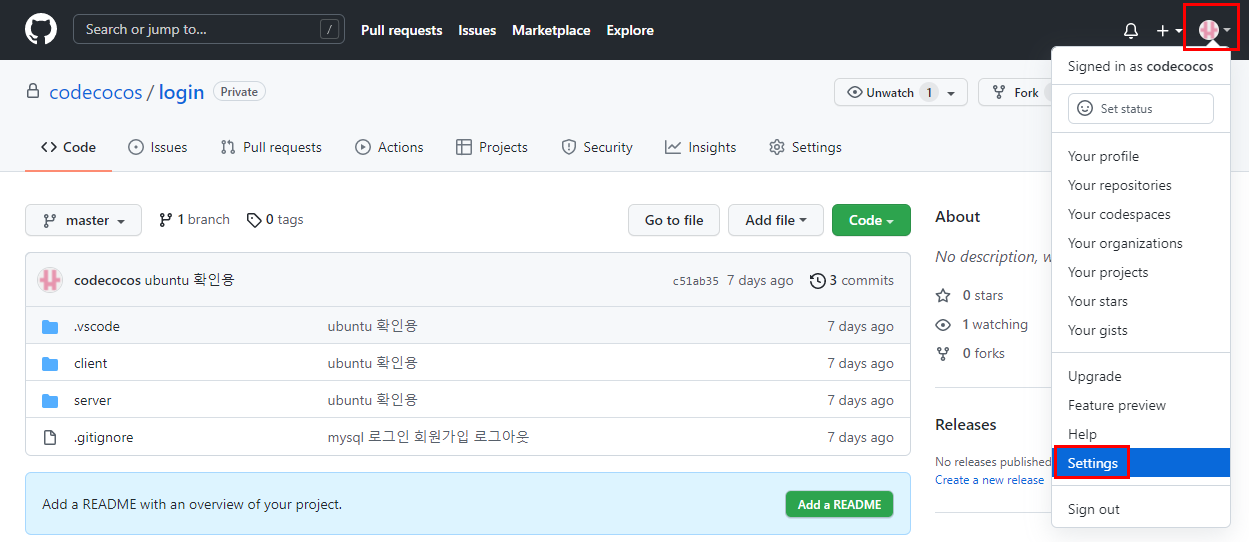
1. github 로그인 후 오른쪽 위 계정 클릭 -> Setting 클릭
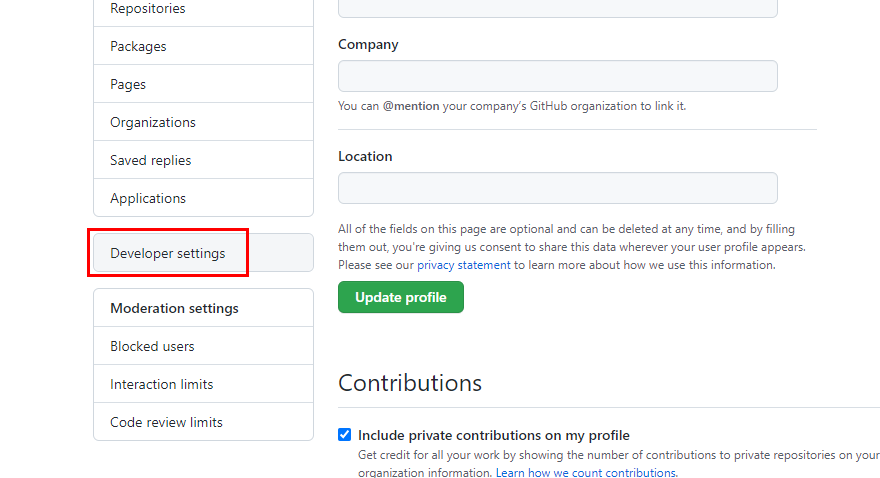
2. 왼쪽 메뉴 아래쪽 Developer settings 클릭
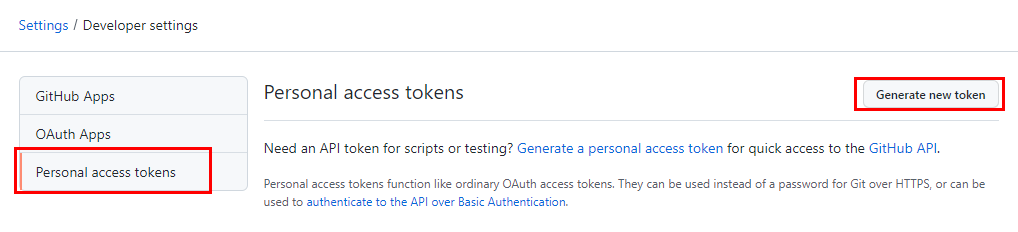
3. Personal access tokens 클릭, Generate new token 클릭
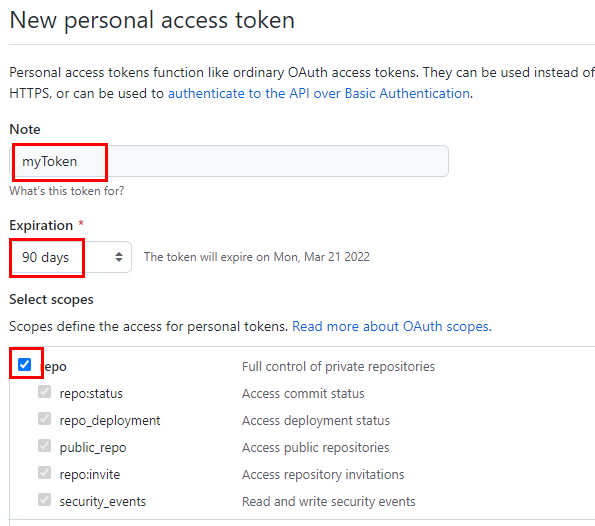
4. 토큰이름과 기한 작성 후 허용할 범위 선택 (별다른 특이사항이 없다면, repo만 선택해도 무방)
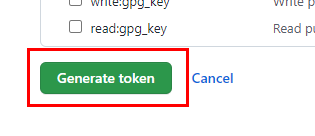
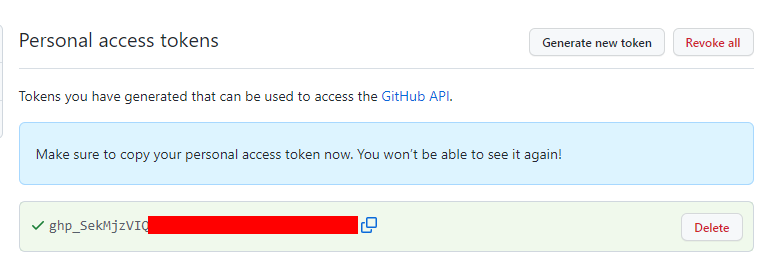
5. 생성된 토큰 값 복사
** 주의 ** 한번 생성 된 토큰은 잊었다고해서 나중에 다시 볼 수 없으니 꼭 기억하자!
만약 생각나지 않는다면 토큰을 다시 생성 해야한다.
6. git 명령줄에 토큰을 사용하여 클론 완료!

참조 : https://naknaklee.github.io/etc/2021/08/15/github-personal-access-token/