[솔리티디] ropsten testnet에 스마트 컨트랙트 배포하기
Ethereum API | IPFS API & Gateway | ETH Nodes as a Service | Infura
Infura's development suite provides instant, scalable API access to the Ethereum and IPFS networks. Connect your app to Ethereum and IPFS now, for free!
infura.io
1. 회원가입 후 로그인
2. create new project 버튼 클릭

3. product 는 이더리움으로 선택하고 이름을 기입

3. endpoint를 ropsten으로 선택
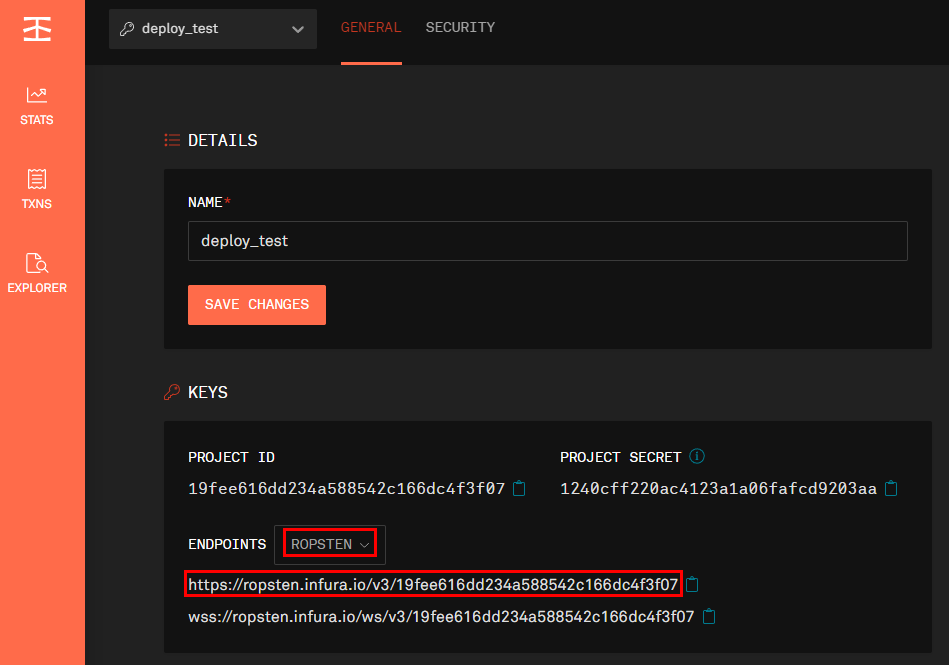
4. truffle-config.js 파일 수정
- 상단에 아래 코드 추가
- infuraKey 값을 위의 주소에서 v3/ 뒤의 값으로 변경
const HDWalletProvider = require('truffle-hdwallet-provider');
const infuraKey = "19fee616dd234a588542c166dc4f3f07";
const fs = require('fs');
const mnemonic = fs.readFileSync(".secret").toString().trim();
- networks 설정 부분에 아래 코드 추가
    ropsten: {
      provider: () => new HDWalletProvider(mnemonic, `https://ropsten.infura.io/v3/${infuraKey}`),
      network_id: 3,       // Ropsten's id
      gas: 5500000,        // Ropsten has a lower block limit than mainnet
      confirmations: 2,    // # of confs to wait between deployments. (default: 0)
      timeoutBlocks: 200,  // # of blocks before a deployment times out  (minimum/default: 50)
      skipDryRun: true     // Skip dry run before migrations? (default: false for public nets )
    },
전체코드
모듈을 못읽어서 경로 지정해줌
const path = require("path");
const HDWalletProvider = require('truffle-hdwallet-provider');
const infuraKey = "19fee616dd234a588542c166dc4f3f07";
const fs = require('fs');
const mnemonic = fs.readFileSync(".secret").toString().trim();

module.exports = {
  // See <http://truffleframework.com/docs/advanced/configuration>
  // to customize your Truffle configuration!
  contracts_build_directory: path.join(__dirname, "client/src/contracts"),
  networks: {
    development: {
      host: '127.0.0.1',
      port: 7545,
      network_id: "*"
    },
    ropsten: {
      provider: () => new HDWalletProvider(mnemonic, `https://ropsten.infura.io/v3/${infuraKey}`),
      network_id: 3,       // Ropsten's id
      gas: 5500000,        // Ropsten has a lower block limit than mainnet
      confirmations: 2,    // # of confs to wait between deployments. (default: 0)
      timeoutBlocks: 200,  // # of blocks before a deployment times out  (minimum/default: 50)
      skipDryRun: true     // Skip dry run before migrations? (default: false for public nets )
    },
  },
  compilers: {
    solc: {
      version: "0.8.11",
      optimizer: {
        enabled: true,
        runs: 200,
      }
    }
  }
};
5. 모듈 설치
- 루트 경로에 설치
npm i @truffle/hdwallet-provider6. .secret 파일 생성
- 루트 경로에 생성하고 복구키를 입력
- 가나슈에서 썻던 테스트용 복구키를 입력함

7. 컴파일 및 배포
truffle compiletruffle migrate --network ropsten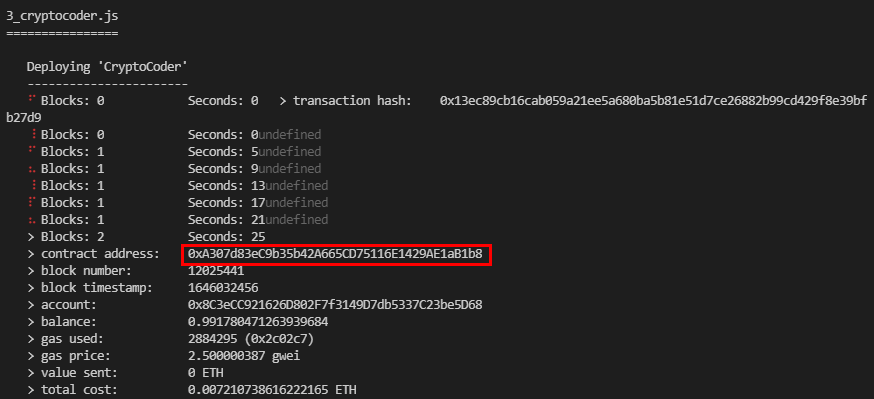
8. https://ropsten.etherscan.io/ 에서 컨트랙트 조회
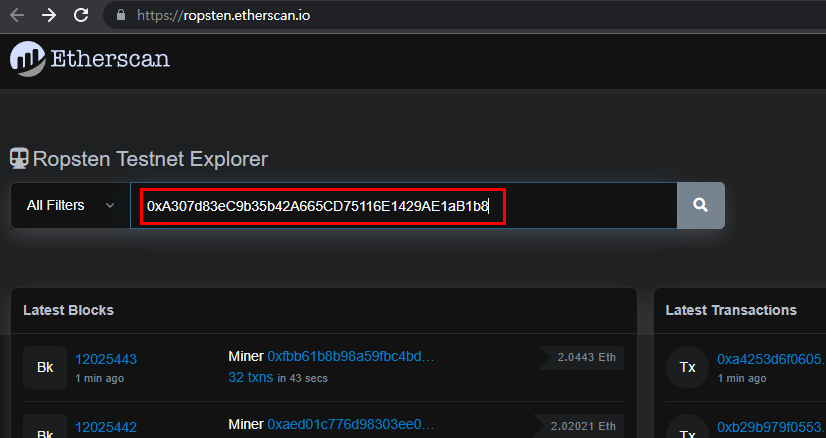
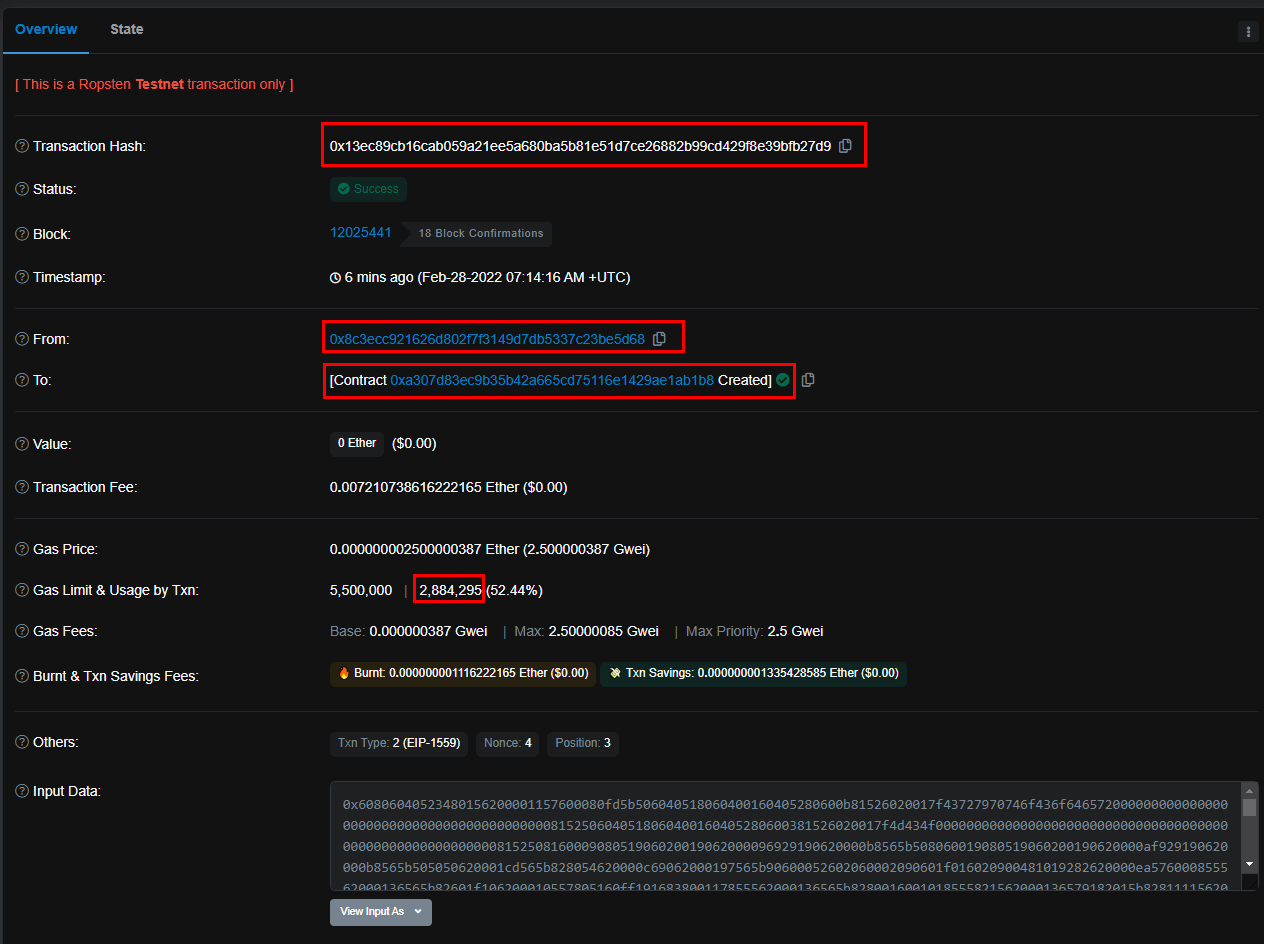
9. 컨트랙트 주소 일치 확인, 트랜잭션 주소 눌러서 상세주소 확인

기타 상세 사항 모두 일치함을 확인할 수 있음.
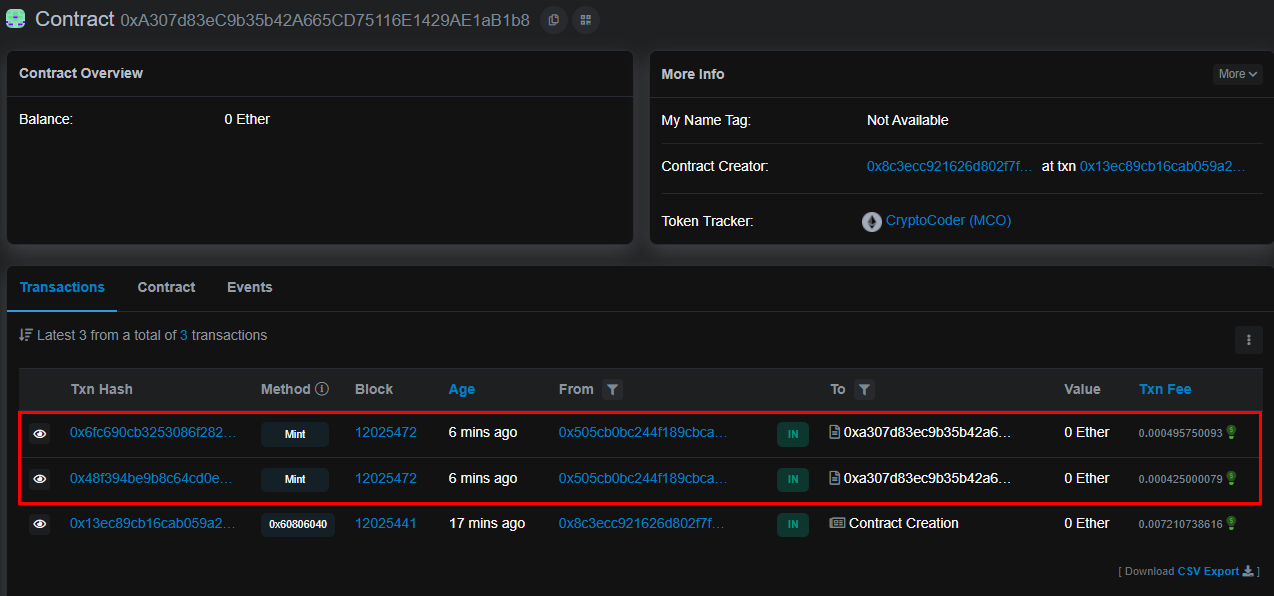
10. 배포한 컨트랙트 페이지를 열고, ropsten 테스트넷으로 연결 후 트랜잭션을 발생시켜 봄.
- 발생 시킨 2건 모두 처리되었음을 확인 .

상세정보를 이더스캔에서 확인 할 수 있음

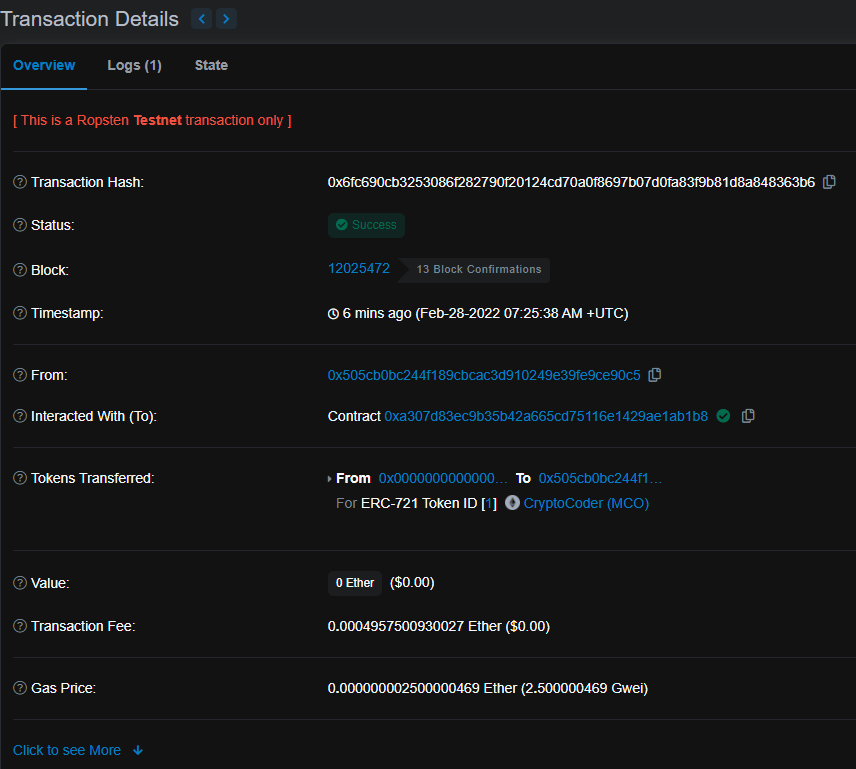
또한, 다시한번 컨트랙트 주소를 조회해보면 발생 시킨 2건이 추가되었음을 확인 할 수 있음